
Key Takeaways
- The main types of LMS include corporate, academic, open source, cloud based, and mobile LMS platforms, each designed for different learning and technical requirements.
- LMS features such as course management, assessments, learning paths, progress tracking, analytics, customization, and mobile access support different learning needs.
- Choosing the right LMS depends on the learners, learning goals, required features, technical resources, and level of platform control.

A Learning Management System (LMS) can be designed for different learners, learning environments, and technical requirements. Corporate LMS platforms support employee training, academic LMS platforms support education, open source LMS platforms provide greater control over the software, cloud based LMS platforms simplify deployment and maintenance, and mobile LMS solutions make learning accessible through mobile devices.
The right type depends on who will use the LMS, how learning will be delivered, the level of customization required, and how the platform will be managed.
In this guide you will get to know the main types of LMS and how each one supports effective learning across education and business settings.
What Are the Top 5 LMS Software Types?
The top 5 LMS software types are Corporate LMS, Academic LMS, Open Source LMS, Cloud Based (SaaS) LMS, and Mobile LMS.
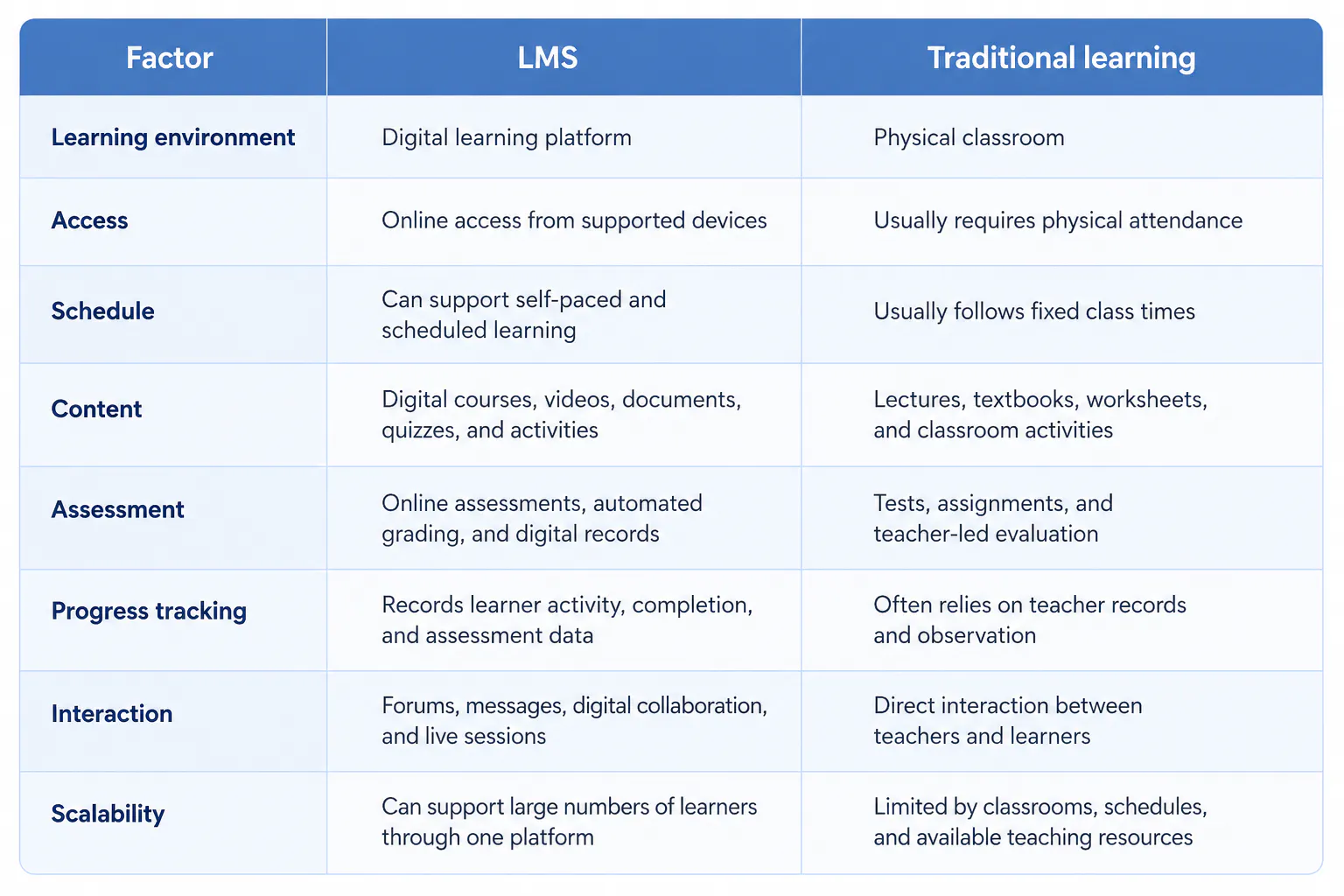
Read more: LMS vs eLearning platform
1. Corporate LMS
A corporate learning management software is built for businesses that need to train employees, onboard new hires, and maintain compliance across teams. An corporate LMS gives companies one centralized space to organize training materials, deliver courses, and monitor performance.
Corporations, nonprofits, and government departments use it to manage everything from product training to leadership development and skill enhancement.
Key Features
- Course management: Create courses, organize learning materials, and assign training to employees.
- Learning paths: Build structured training sequences based on employee roles, departments, or skill levels.
- Training analytics: Use reports to understand participation, performance, and learning outcomes.
- Cohort management: Group learners into teams or batches and manage their training from a central platform.
- AI powered insights: Use learning data to identify performance patterns and provide insights for better training decisions.
- Integration with Business Tools: Connects with systems like HRIS, CRM, and ERP for smooth data sharing.
- Performance Analytics: Generates detailed progress reports and metrics on learning outcomes.
- Content Management: Stores videos, PDFs, modules, and presentations within an organized repository.
- Mobile and Cloud Access: Enables learning anywhere, ensuring teams stay updated even remotely.
Pros
- Centralizes employee learning and training
- Reduces repetitive training administration
- Makes learner performance easier to monitor
- Supports continuous employee development
Cons
- Advanced LMS features may not be necessary for smaller teams
- Integrations and custom workflows may require additional setup
Read more: Top 10 Most In-Demand AI Skills Your Workforce Needs in 2026
2. Academic LMS
An academic LMS helps schools, colleges, and universities manage courses, learning materials, assessments, and student progress in one platform.
Key features
- Course builder: Create courses, organize lessons, and structure learning content.
- Content management: Upload videos, documents, presentations, assignments, and other learning resources.
- Assessments: Create quizzes, assignments, and tests to evaluate student learning.
- Auto grading: Automatically grade supported questions and provide faster results.
- Progress tracking: Monitor course completion, assessment performance, and student activity.
- Cohort management: Organize students into classes, batches, or learning groups.
- Schedule management: Manage lessons, sessions, deadlines, and other learning activities.
- Smart insights: Use smart insights to identify learning patterns and support better academic decisions.
Pros
- Brings teaching and learning activities into one platform
- Simplifies course and assessment management
- Helps educators monitor student progress
- Supports structured and flexible learning
Cons
- Some advanced features may not be required by smaller institutions
- Existing school or university systems may require integration
Read more: How to Choose the Right LMS for Your School
3. Open Source LMS
An open source LMS gives organizations access to the platform's source code, allowing them to modify and extend the system based on their requirements.
Key features
- Custom development: Modify the platform or add functionality to support specific learning requirements.
- Flexible hosting: Host the LMS on infrastructure selected by the organization.
- Plugins and extensions: Add additional learning, assessment, reporting, or integration capabilities.
- API integration: Connect the LMS with other applications and systems.
- Custom workflows: Configure user roles, permissions, and learning processes according to organizational needs.
- Data control: Maintain greater control over how the platform and learning data are hosted and managed.
Pros
- Provides greater control over the LMS
- Allows extensive customization
- Supports specific technical requirements
- Can be extended with additional functionality
Cons
- Requires technical resources to manage and customize
- Self hosting can increase maintenance responsibilities
- Custom development can require additional time and resources
Read more: Open Source vs Cloud LMS
4. Cloud Based LMS
A cloud based LMS is hosted by the provider and accessed through the internet. The provider manages the platform infrastructure, maintenance, and software updates.
Key features
- Web based access: Access courses, assessments, and learning data through a browser without managing local LMS infrastructure.
- Automatic updates: Receive platform updates and improvements without manually updating the software.
- Centralized learning data: Store courses, learner records, assessments, and progress within one platform.
- Scalable user management: Add learners, courses, and learning groups as requirements increase.
- Learning analytics: Monitor course completion, assessment results, participation, and learner activity.
- Third party integrations: Connect the LMS with other education, business, communication, or productivity tools.
Pros
- Requires less internal IT infrastructure
- Reduces platform maintenance work
- Allows access from different locations
- Makes it easier to expand learning programs
Cons
- Normal access depends on internet connectivity
- Customization can vary between providers
- Organizations depend on the provider for platform availability and updates
Read more: Cloud LMS vs On-Premise LMS
5. Mobile LMS
A mobile LMS allows learners to access courses and learning activities through smartphones and tablets. Mobile access can also be part of other LMS types, making it a delivery approach rather than a completely separate LMS architecture.
Key features
- Mobile responsive design: Adjusts courses and the LMS interface for smartphones and tablets.
- Mobile course access: Allows learners to access lessons, resources, and assessments from mobile devices.
- Offline learning: Allows supported content to be accessed without an active internet connection.
- Push notifications: Sends reminders about courses, activities, deadlines, and updates.
- Mobile assessments: Allows learners to complete supported quizzes and assessments through mobile devices.
- Progress synchronization: Keeps learner progress updated across supported devices.
- Mobile content: Supports videos, documents, interactive activities, and other digital learning resources on mobile devices.
Pros
- Makes learning accessible through smartphones and tablets
- Supports learning outside fixed locations
- Provides greater flexibility for learners
- Useful for short and mobile learning sessions
Cons
- Smaller screens can make complex activities harder to use
- Some learning content works better on larger screens
- Offline functionality depends on the LMS and supported content.
Conclusion
The right LMS depends on how learning needs to be delivered and managed.
Each type has different features, advantages, and limitations. The best choice is the one that matches the learners, learning goals, technical requirements, and resources available to manage the platform.

