
Key Takeaways
- The main difference between ERP and LMS is their purpose: ERP manages school operations, while LMS manages teaching and learning.
- ERP supports administrative functions, including admissions, attendance, fees, student records, staff, and finance.
- LMS supports academic functions, including courses, content, assignments, assessments, Live Classes, and student progress.
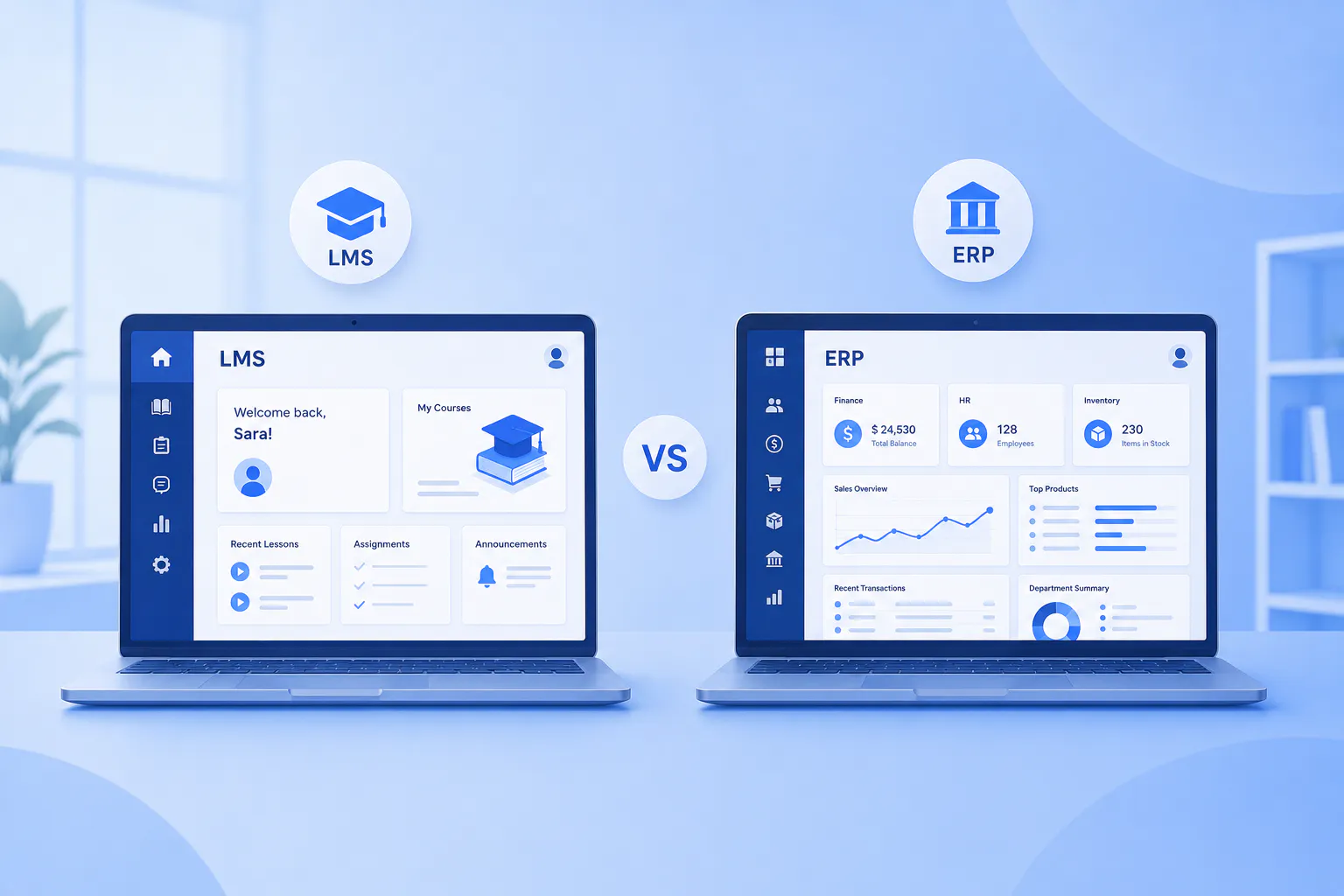
The major difference between a Learning Management System (LMS) and Enterprise Resource Planning (ERP) software is their primary purpose: an LMS manages teaching and learning, while ERP software manages broader institutional resources, processes, and operations. An LMS for school helps teachers deliver courses, assignments, assessments, and learning activities, while ERP software helps schools manage areas such as admissions, student records, finance, staff, attendance, and administration.
Schools can use an LMS to manage the academic learning process and ERP software to manage institutional operations. When both systems work together, schools can connect academic activities with administrative processes and create a more integrated digital ecosystem.
In this blog, we compare LMS and ERP software, their key features, major differences, use cases, and how schools can use both systems to support learning and administration.
What Is a Learning Management System (LMS)?
A Learning Management System (LMS) manages teaching and learning activities through a digital platform. Teachers use an LMS to create courses, deliver learning content, conduct assessments, and monitor student progress. Students use an LMS to access lessons, complete assignments, take quizzes, and participate in learning activities.
Key Functionalities of an LMS
- Course Management – Teachers create courses, organise lessons, and manage learning content.
- Content Management – Teachers upload videos, documents, presentations, and other digital resources.
- Assignments and Quizzes – Teachers create assignments and quizzes, while students complete and submit them online.
- Assessment and Grading – Teachers evaluate student work, assign grades, and monitor assessment results.
- Student Progress Tracking – Teachers monitor course completion, learning activity, and academic performance.
- Learning Paths – Schools organise courses and learning activities into structured learning journeys.
- Enrolment Tracking – Administrators monitor student enrolments across courses and programmes.
- Live Classes – Teachers conduct real-time online classes, discussions, and doubt clarification sessions.
- Learning Analytics – Teachers and administrators analyse learning data to identify performance trends and learning gaps.
- AI Powered Learning Support – AI tools assist teachers with academic tasks and provide learning insights.
Read more: How to Choose the Right LMS for Your School
What Is Enterprise Resource Planning (ERP) Software?
Enterprise Resource Planning (ERP) software manages an organisation’s resources, processes, and operational activities through a connected system. Schools use ERP software to manage administrative, financial, human resource, and institutional processes across different departments.
Key Functionalities of ERP Software
- Student Information Management – Schools maintain student records and institutional information in a central system.
- Admissions Management – Administrators manage applications, admissions, and student enrolment processes.
- Attendance Management – Schools record and monitor student and staff attendance.
- Fee and Payment Management – Finance teams manage fees, payments, invoices, and financial records.
- Staff Management – Administrators manage employee records, roles, payroll, and related HR processes.
- Timetable Management – Schools organise class schedules, staff schedules, and institutional activities.
- Communication Management – Schools send announcements, notifications, and updates to students, parents, and staff.
- Inventory Management – Schools track equipment, supplies, assets, and other institutional resources.
- Financial Management – Administrators monitor budgets, expenses, transactions, and financial reports.
- Administrative Reporting – School administrators generate reports from institutional and operational data.
LMS vs ERP: Major Differences
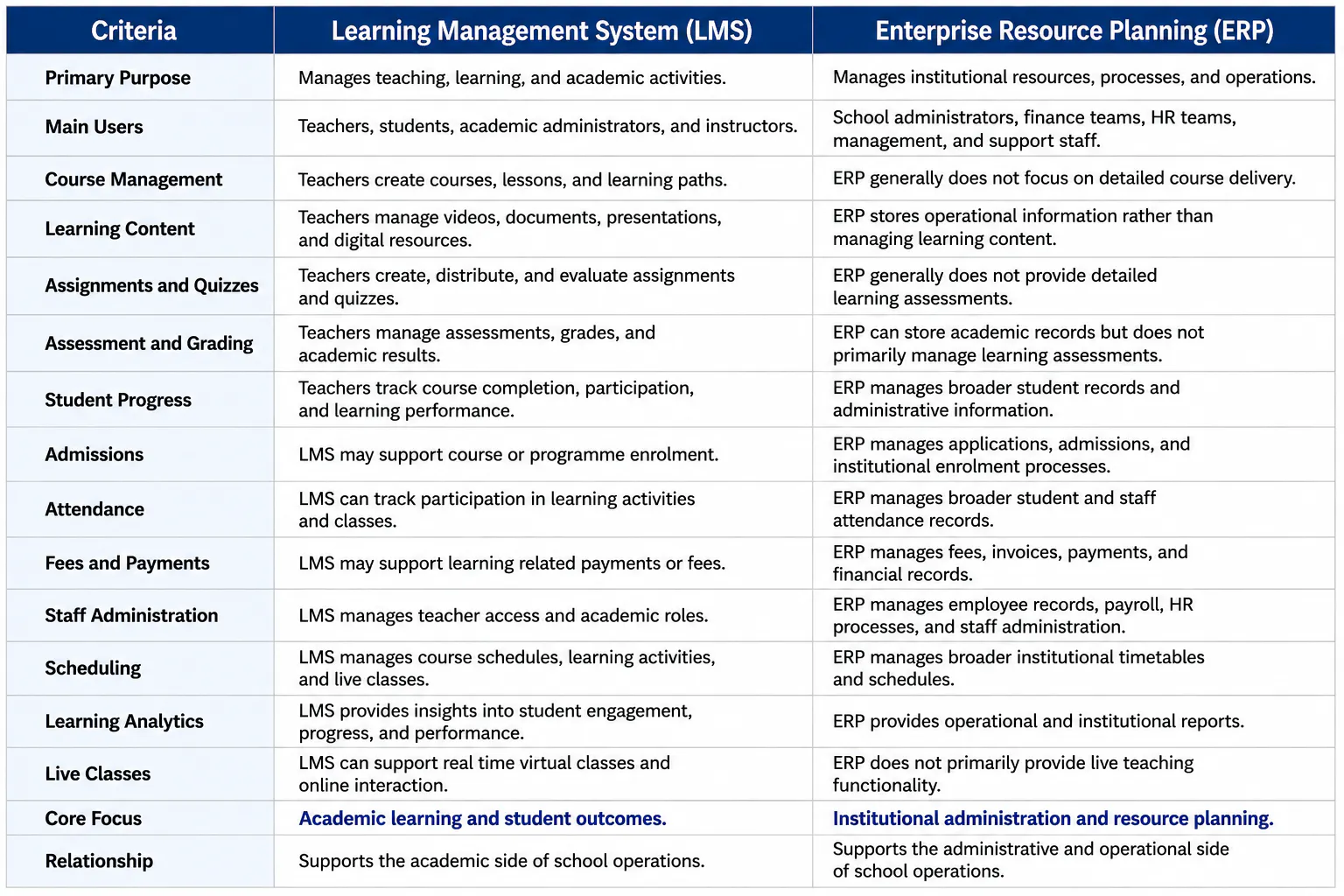
An LMS focuses on teaching, learning, and student academic progress, while ERP software focuses on institutional resources, administration, and operational processes. The two systems can complement each other when a school needs both academic and operational management.
Which System Fits Your School’s Needs?
Schools should choose an LMS when their priority is digital teaching and learning, choose ERP software when their priority is institutional operations, and consider both when they need to connect academic and administrative functions. The right choice depends on the workflows the school wants to improve and the capabilities teachers, students, and administrators need.
- Choose an LMS for digital learning – If you need course creation, digital content, assignments, quizzes, assessments, live classes, student progress tracking, and learning analytics, prioritise an LMS.
- Choose ERP software for institutional operations – For admissions, student records, attendance, fees, staff administration, schedules, finance, and other operational processes, ERP software may be more appropriate.
- Choose both for connected school operations and learning – An LMS and ERP can work together when strong academic delivery needs to be supported by broader institutional administration. Integration can connect relevant student, enrolment, academic, and administrative data across both systems.
- Consider your users – Evaluate the daily requirements of teachers, students, administrators, finance teams, and other staff before selecting a system.
- Consider integration requirements – Check whether the selected LMS or ERP can integrate with existing systems. Integration can reduce duplicate data entry and help different departments work with consistent information.
- Consider future requirements – Assess whether the system can support growing student numbers, new academic programmes, additional learning formats, and expanding administrative requirements.

