Loading page
Run your school's finances from one place. Build fee plans, collect payments online or by bank transfer, send automatic reminders, and see every fee month at a glance.


Track fees billed, collected and outstanding across the academic year, from the full monthly picture down to each student's dues and payment status.

Every fee month at a glance
See how much was billed, collected and is still outstanding this year. Each month's bar shows paid and unpaid amounts side by side.

Every student's dues in one list
See what each student was billed, what they still owe and their payment status. Filter by cohort or fee type and export the list.
Set up complete fee plans for each grade or course. Combine monthly tuition, annual fees and one-off charges like field trips. Set amounts, how often each is charged and due dates, and choose which grades follow each plan.


Accept payments online through Razorpay or Stripe, or share your bank details and a QR code. Guardians pay and upload their proof, and your team gets one place to review and confirm every payment.
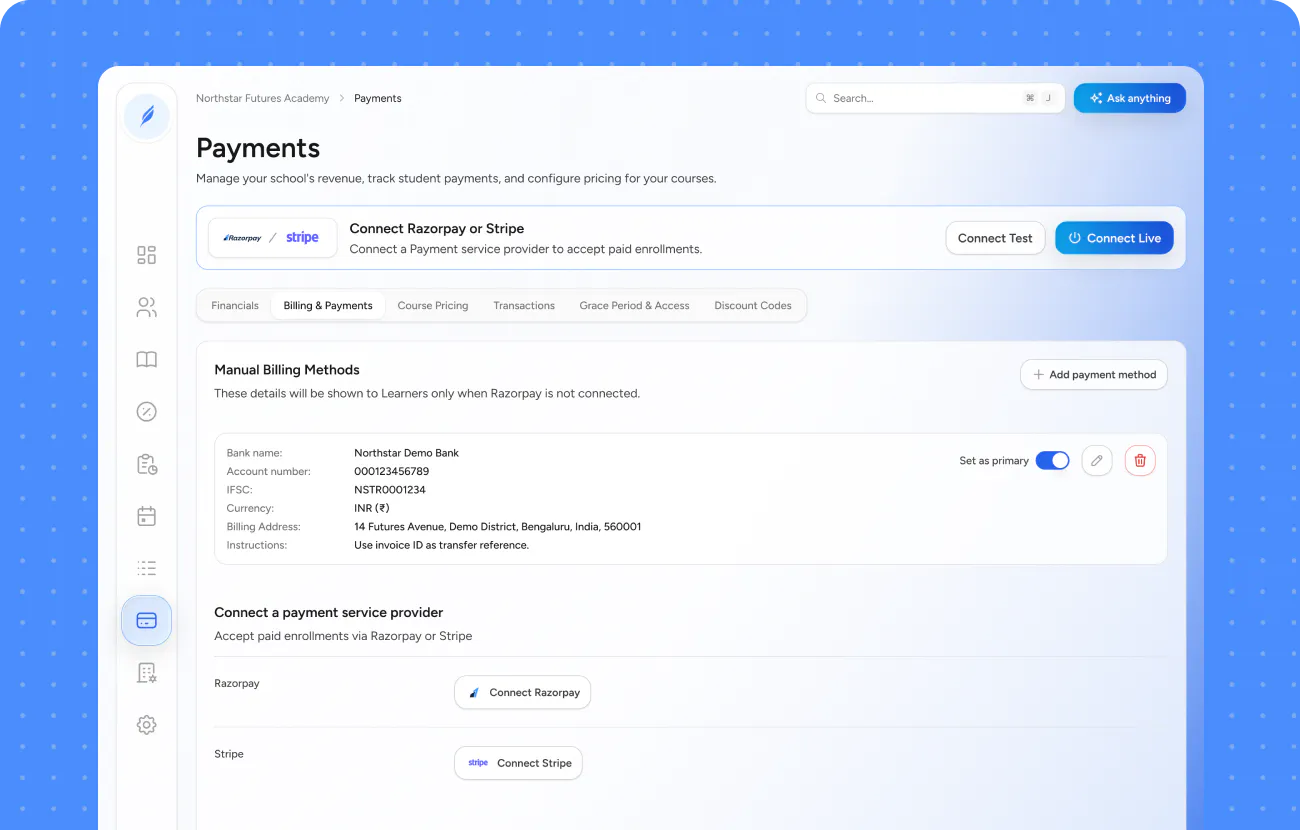
Set Up Your Way
Connect Razorpay or Stripe to accept online payments. You can also add your bank details and a QR code for direct transfers. Set a primary method and choose what guardians see when they pay
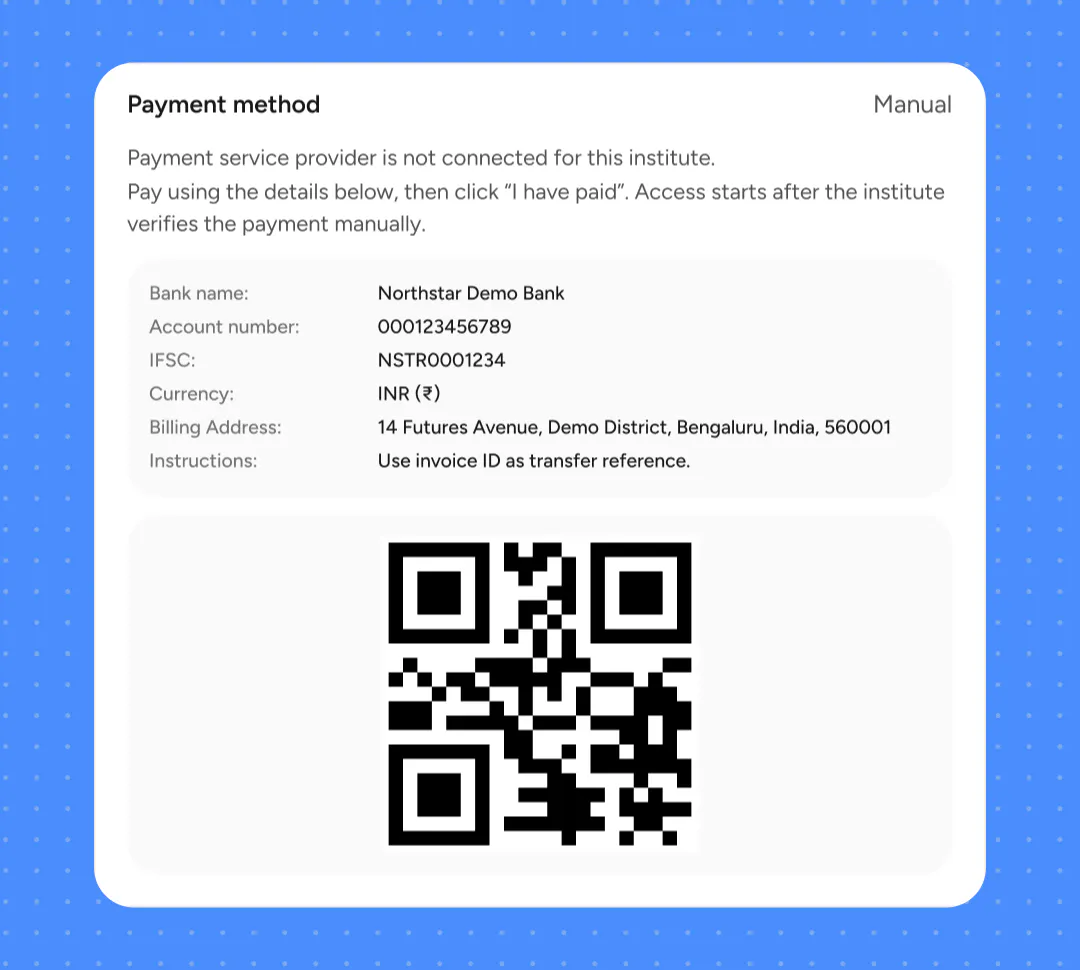
Pay and Upload in One Step
Guardians scan the QR code or pay by bank transfer, then upload their screenshot or receipt. Quyl checks that it's a real payment proof before they can submit it, so incomplete or wrong uploads are caught early

Review and Confirm Every Payment
Submitted payments come to your team for review. A payment only counts as complete once someone confirms it, so the payment records always match the money that actually arrived.
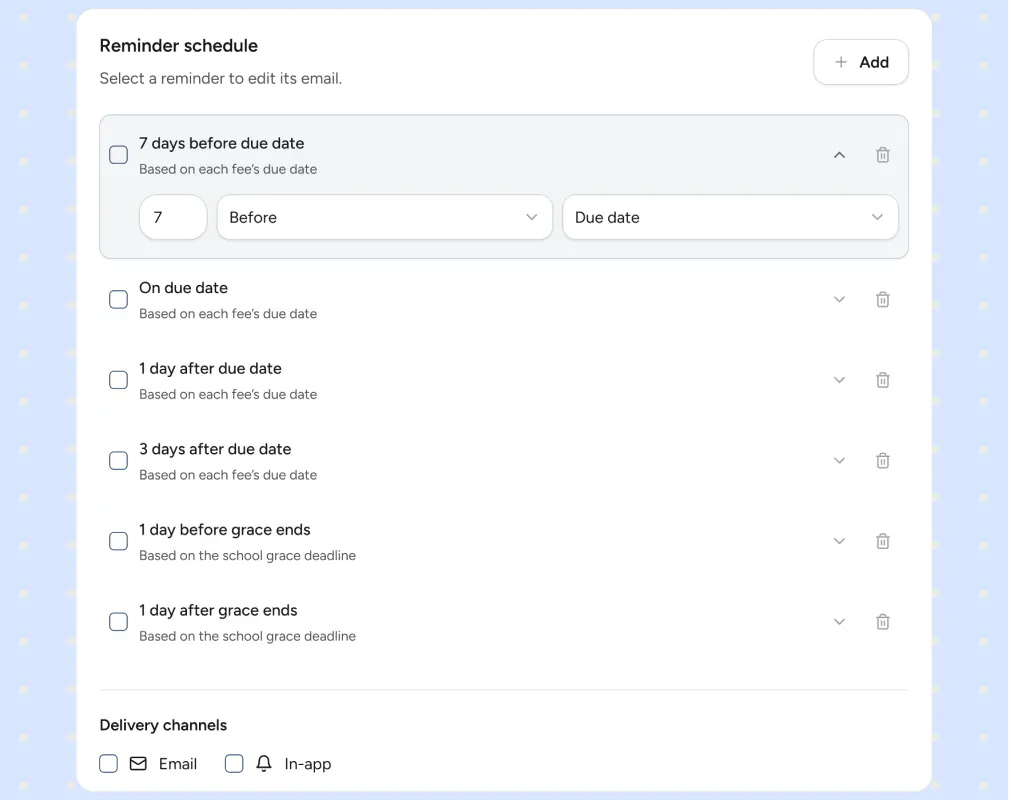
Set a grace period, then build a reminder schedule: days before the due date, on the due date, after it, and around the grace deadline. Customise the email, choose the send time, and deliver by email, in-app or both.