
Key Takeaways
- Higher education LMS platforms support course delivery, assessments, learner management, reporting, and communication across online, blended, and classroom-based learning.
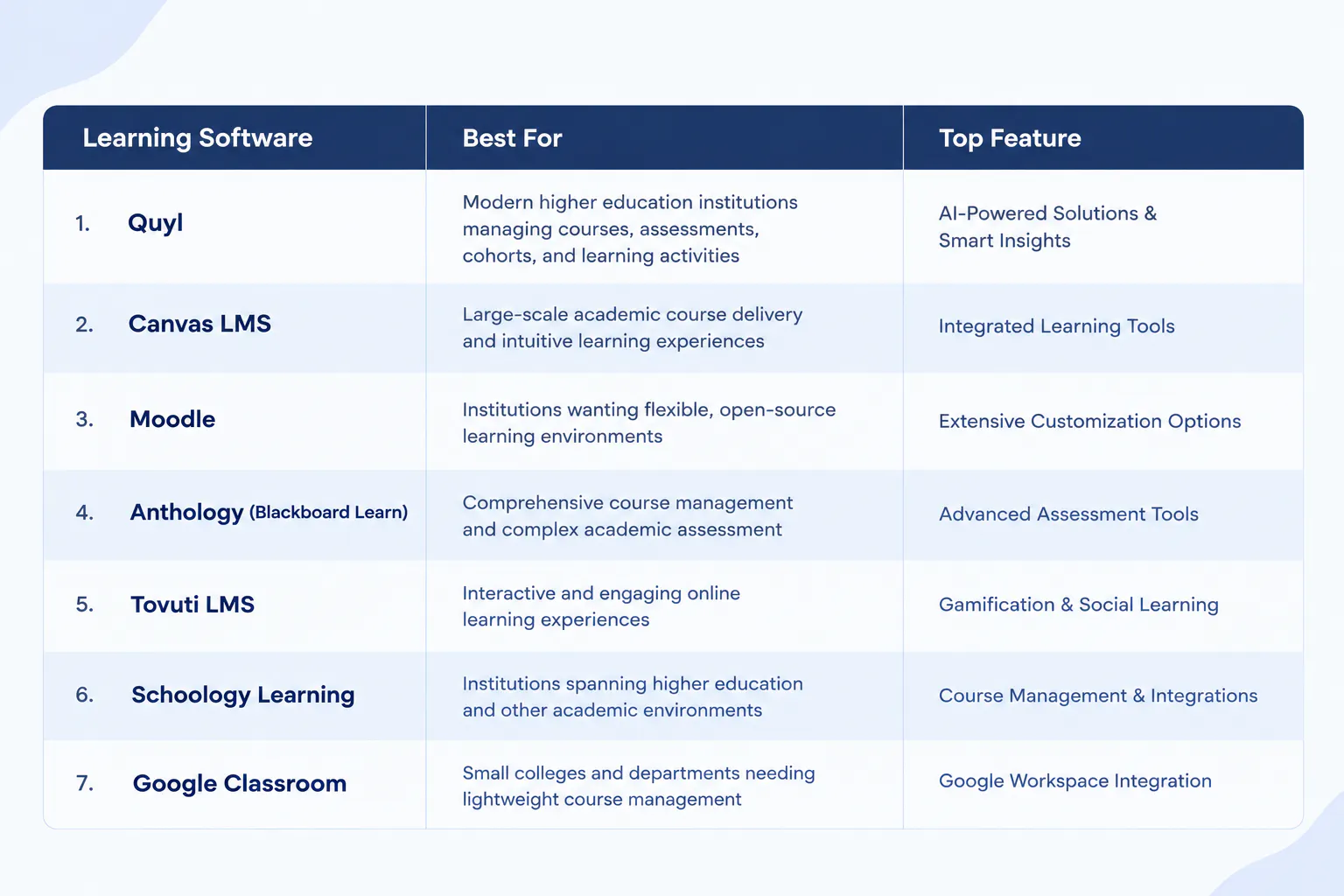
- Quyl, Canvas, Moodle, Blackboard, Tovuti, Schoology, and Google Classroom differ in areas such as customization, integrations, analytics, AI, and administration.
- The right LMS depends on an institution’s academic workflows, scalability, usability, integrations, budget, and support requirements.

The digital learning landscape in higher education is changing how universities and colleges deliver courses, manage assessments, and support students beyond the classroom. As institutions expand online, hybrid, and blended learning, the learning management system has become a central part of academic delivery.
An LMS for higher education connects course content, assessments, learner activity, communication, and performance data within a structured learning environment. However, each platform differs in its features, usability, integrations, customization, and suitability for different institutional needs.
In this blog, you’ll learn about the seven best LMS platforms for higher education, their key features, pros and cons, and the factors to consider when choosing the right LMS for your institution.
What Is an LMS In Education?
An LMS in education is a digital platform used by schools, colleges, and universities to create, deliver, manage, and track learning. It brings course materials, assignments, assessments, learner activity, and communication into one structured environment.
Teachers use an LMS to organize courses, share learning resources, create assessments, provide feedback, and monitor student progress. Students use it to access lessons, submit assignments, complete quizzes, and follow their learning activities.
In higher education, an LMS can support online, blended, and classroom-based learning by connecting teaching activities with learner progress and performance data.
7 Best LMS Platforms For Higher Education
Before choosing the right LMS for higher education, it is important to understand how each platform supports course management, assessments, learner engagement, reporting, integrations, and institutional needs. The following seven platforms offer different capabilities and approaches to managing digital learning.
1. Quyl
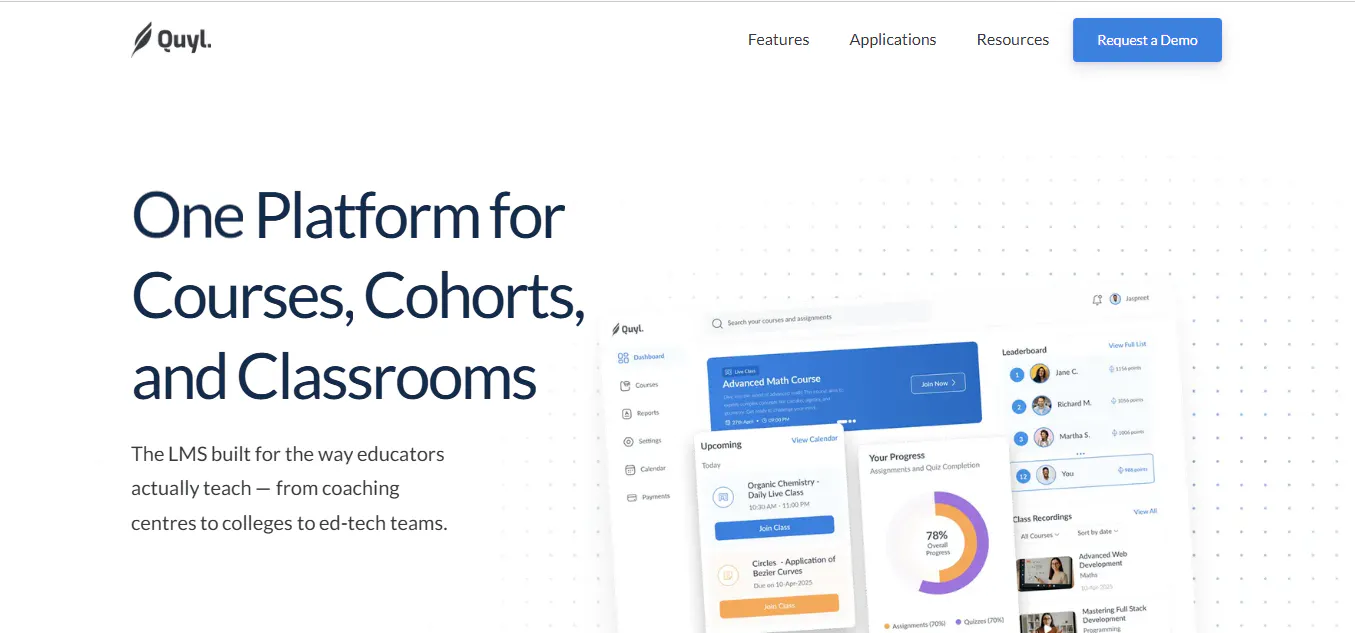
Quyl is a learning platform that brings course management, learner administration, assessments, live classes, attendance, payments, AI tools, and performance reporting into one environment. Its role-based structure gives administrators, teachers, and students different experiences based on their responsibilities and access.
Features And Benefits
- Role-Based Workspaces: Separate Admin, Teacher, and Student experiences with scoped permissions, keeping each user focused on the functions relevant to their role.
- Course Creation & Publishing: Create, organize, preview, publish, and manage courses with metadata, categories, cover images, and attachments.
- Curriculum & Multimedia Authoring: Build structured chapters using rich text, files, hosted videos, YouTube/Vimeo content, quizzes, and assignments.
- Course Discovery & Bundles: Let students browse published courses and bundles, review course details, and select available enrollment options.
- Cohorts & Group Enrollment: Create learner groups, set dates, and assign courses or bundles for structured cohort-based learning.
- Learner Management: Invite, enroll, search, edit, activate, deactivate, and manage learner profiles and learning context.
- Assignments, Submissions & Grading: Create structured assignments, review submissions, award marks, add comments, and annotate PDFs.
- Quizzes & Question Bank: Build timed quizzes with multiple response types and reusable questions.
- Progress Tracking & Dashboards: Give students and staff role-specific views of progress, priorities, upcoming work, courses, and learning activity.
- Performance Reports: Analyze school, course, cohort, and learner performance, including grades, completion, quiz scores, assignment scores, and trends.
- Live-Class Scheduling & Calendar: Schedule recurring classes and events with course or cohort audiences, meeting links, reminders, and timezone support.
- Attendance Tracking: Record Present, Absent, Late, and Excused attendance, review attendance history, and export CSV reports.
- Payments & Financial Tracking: Accept Razorpay payments or record manual bank/QR payments while tracking revenue, transactions, overdue balances, and payment history.
- Payment Plans & Access Rules: Offer installment plans, manage due dates and grace periods, and control course access based on payment status.
- Pricing, Discounts & Bundles: Set course and bundle pricing, create discount codes, and support different payment options.
- Notifications & Reminders: Send in-app and email updates for classes, events, assignments, submissions, and grading.
- AI-Assisted Content Creation: Generate course cover images and draft or refine rich text within authoring workflows.
- Quyl Assistant: Provide contextual, read-only AI assistance for questions about courses, students, assessments, events, payments, and Smart Insights.
- Smart Insights: Surface evidence-linked insights about strengths, risks, weak areas, trends, and suggested next steps.
- AI Usage Controls: Allow administrators to enable AI, allocate credits, review usage, and control AI access for individual staff members.
- API Keys & External Course Access: Create, rotate, and revoke scoped keys for external access to published tenant, cohort, course, and bundle data, supporting controlled external integrations.
- School Setup & Branding: Configure school details, domains, support contacts, timezones, logos, colors, themes, holidays, course categories, and academic terms.
- Admin Controls & Dashboard Layouts: Enable or disable major modules and configure Admin and Teacher dashboard layouts.
Pros
- Combines learning delivery, assessment, learner management, attendance, payments, and reporting in one platform.
- Supports distinct Admin, Teacher, and Student workflows with role-based access.
- Provides AI-assisted content creation, Quyl Assistant, and Smart Insights.
- Supports cohort-based learning, live classes, multimedia content, and structured assessments.
- Offers API access, branding, and configurable platform controls for institutional requirements.
Best For: Higher education institutions and structured learning providers that need a role-based learning platform covering courses, assessments, cohorts, learner management, live classes, payments, reporting, and AI-supported learning operations.
2. Canvas LMS
Canvas LMS is a cloud-based learning platform designed to support course delivery, assessment, collaboration, and learner engagement across higher education. Its intuitive interface, mobile access, analytics, and broad integration ecosystem make it suitable for institutions managing diverse academic programs and large student populations.
Key Features And Benefits
- Course Management: Create, organize, and deliver course content within structured learning environments, giving instructors control over teaching materials and activities.
- Assignments & Grading: Manage assignments, grading, annotations, rubrics, and feedback in one workflow to support consistent academic evaluation.
- Gradebook & Progress Tracking: Monitor grades, learner activity, and course progress to give instructors a clearer view of academic performance.
- Interactive Analytics: Use engagement and performance data to identify learning patterns and monitor student participation.
- Blueprint Courses: Standardize course structures and content across multiple sections while allowing instructors to manage individual classes.
- Learning Integrations: Connect with educational, productivity, video conferencing, and institutional systems.
- Mobile Learning: Dedicated mobile applications allow students and educators to access courses, assignments, grades, and learning activities across devices.
- Collaborative Learning: Support communication and interaction between instructors and students through discussions, shared activities, and course-based collaboration.
- Accessibility Support: Accessibility capabilities help institutions create learning experiences that are more usable for students with different needs.
- Cloud-Based Infrastructure: Cloud delivery supports institutional scalability without requiring universities to maintain the core platform infrastructure themselves.
Pros
- User-friendly environment for course delivery and academic management.
- Combines grading, analytics, collaboration, and course administration.
- Supports extensive integrations with education and productivity technologies.
- Provides mobile access for students and educators.
- Suitable for institutions managing large and diverse academic programs.
Cons
- The extensive feature set can require onboarding and training for new users.
- Institutions may need additional configuration when connecting external applications.
- Advanced institutional requirements can increase implementation complexity.
- The platform may be more than smaller institutions or departments need.
Best For: Colleges and universities looking for a cloud-based learning platform with intuitive course management, strong assessment capabilities, analytics, mobile access, and extensive integrations.
Read more: 6 Best Instructure Alternatives for Education Institutions (2026)
3. Moodle
Moodle is an open-source learning platform that gives educational institutions substantial control over how their digital learning environment is configured and extended. Its modular architecture, plugin ecosystem, customizable learning activities, and data controls make it particularly suitable for universities with technical resources and specific institutional requirements.
Key Features And Benefits
- Customizable Course Creation: Build courses using different learning activities, multimedia resources, assessments, and instructional formats to support varied teaching approaches.
- Open-Source Architecture: Gives institutions greater control over the platform, data, configuration, and technical environment.
- Plugin Ecosystem: Extend core functionality through plugins and integrations for additional academic and administrative requirements.
- Gradebook & Progress Tracking: Record grades and monitor learner activity and progress across courses.
- Competency-Based Learning: Define competencies, learning plans, and structured development goals for programs that require skills-based progression.
- Assessment Tools: Create quizzes, assignments, question banks, and other assessment activities to evaluate learner understanding.
- Collaborative Learning: Support forums, wikis, workshops, messaging, and other activities that encourage interaction between learners and educators.
- Gamification: Use badges and certificates to recognize learner achievements and encourage participation.
- Reporting & Analytics: Generate reports and analyze learner and course data to evaluate academic activity and outcomes.
- Mobile & Offline Learning: Allow learners to access course materials and continue supported learning activities through mobile devices.
- Multilingual & Accessible Learning: Support diverse learner populations through multilingual capabilities and accessibility-focused functionality.
- Security & Data Control: Provide institutional control over hosting, privacy, permissions, and security configurations, particularly in self-managed deployments.
Pros
- Extensive customization through its open-source architecture.
- Strong control over institutional data and platform configuration.
- Supports a broad range of learning activities and assessment methods.
- Large ecosystem of plugins and integrations.
- Can be adapted to specific academic and institutional requirements.
Cons
- Self-hosted deployments require technical expertise and ongoing maintenance.
- Extensive configuration can increase implementation and administration effort.
- The large number of available features and plugins can require additional training.
- Maintaining consistency across customized deployments can require careful governance.
Best For: Universities and colleges that need a flexible, customizable learning environment with strong institutional control, extensive integrations, and the ability to adapt the platform to specific academic requirements.
Read more: 8 Best Moodle Alternatives and Competitors to Try in 2026
4. Anthology (Blackboard Learn)
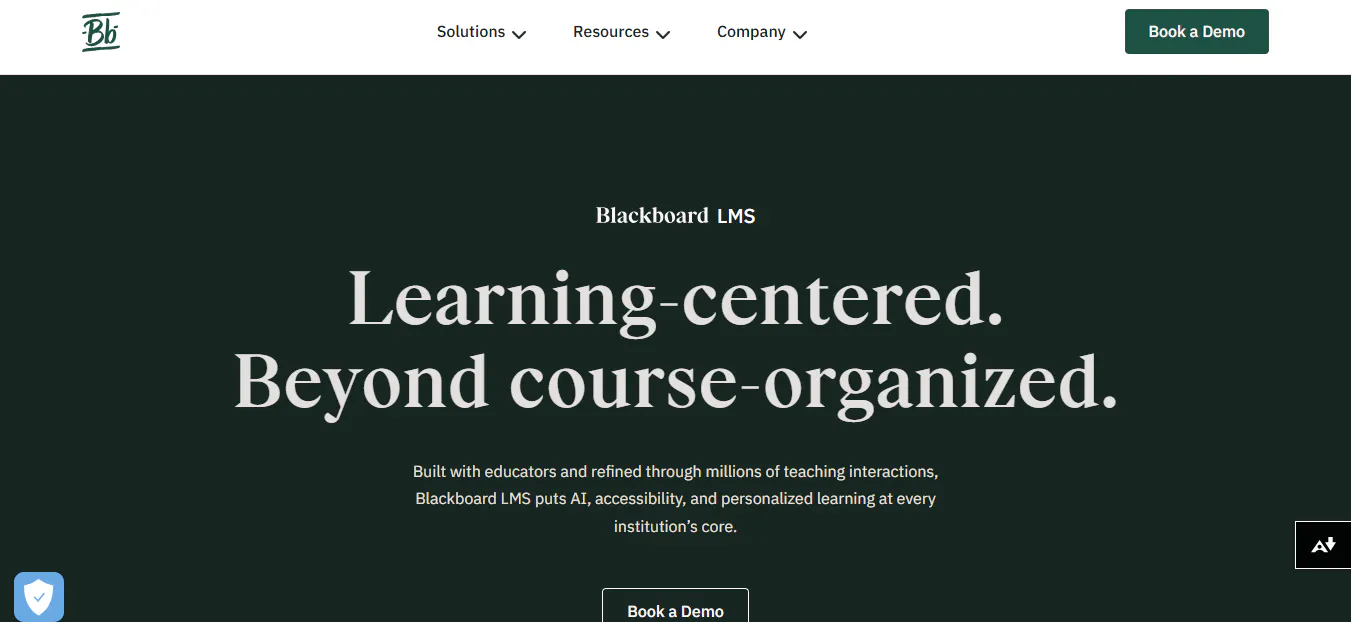
Anthology, formerly Blackboard Learn, is an enterprise learning platform designed around the requirements of higher education and large academic institutions. It combines course management, assessment, accessibility, analytics, and learner engagement capabilities to support institutions with complex academic structures and large student populations.
Key Features And Benefits
- Course Management: Create and manage online, hybrid, and classroom-supported courses while organizing learning materials and academic activities.
- Assessment & Grading: Build assessments, manage submissions, grade student work, and provide feedback through structured evaluation workflows.
- AI-Assisted Course Creation: Support educators with AI-powered capabilities for developing course materials, assessments, and other instructional elements.
- Accessibility Tools: Support more inclusive course experiences through accessibility-focused features and learning resources.
- Learning Analytics: Monitor learner activity, academic performance, and progress using data-driven insights.
- Institutional Reporting: Bring academic data into reporting workflows that help institutions evaluate performance and support institutional goals.
- Collaboration & Engagement: Provide tools for communication, interaction, and digital learning activities between educators and students.
- Video Learning: Support video-based learning and digital collaboration as part of online and blended course delivery.
- Multilingual Support: Accommodate diverse academic communities through support for multiple languages and learning environments.
- Scalable Cloud Delivery: Provide enterprise-oriented infrastructure designed for institutions managing large and complex learning environments.
Pros
- Designed for higher education and enterprise-scale academic environments.
- Strong assessment, grading, and course management capabilities.
- Combines learner analytics with institutional reporting.
- Strong focus on accessibility and inclusive learning.
- Supports large institutions with complex academic structures.
Cons
- The breadth of functionality can require significant training for educators and administrators.
- Institutions may need more implementation support for complex deployments.
- Extensive administrative and academic capabilities can make configuration more involved.
- Smaller institutions may not require the full range of enterprise-level functionality.
Best For: Universities and large educational institutions that require an enterprise learning platform with advanced assessment, accessibility, analytics, reporting, and support for complex academic environments.
Read more: 10 Questions to Ask Your LMS Vendor
5. Tovuti LMS
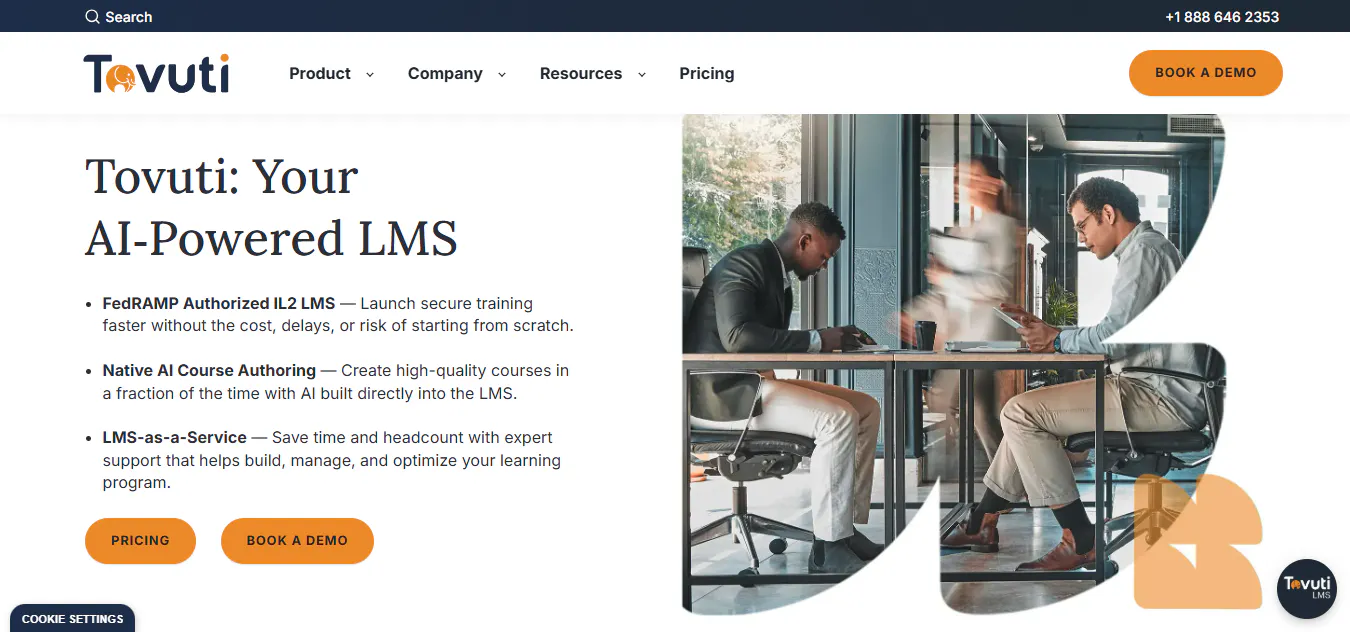
Tovuti LMS is a learning platform designed to bring course creation, learner engagement, training administration, and digital learning resources into one environment. Its emphasis on interactive learning, branded experiences, mobile access, and content creation makes it suitable for institutions that need to deliver training across different learner groups.
Key Features And Benefits
- Interactive Course Creation: Build structured learning experiences using different content formats and interactive activities, helping educators move beyond basic document-based course delivery.
- AI-Assisted Content Creation: Use AI capabilities to support the creation of learning materials, assessments, and interactive content, reducing the manual effort involved in developing courses.
- Learning Paths: Organize multiple courses and activities into structured learning journeys so learners can follow a defined sequence based on their program or training requirements.
- Mobile Learning: Provide learners with access to educational content through mobile devices, supporting learning across different locations and schedules.
- White-Label Branding: Customize the learning environment to better reflect an institution's brand and create a more consistent digital learning experience.
- Learning Resource Library: Centralize resources such as presentations, PDFs, podcasts, webinars, and other educational materials for easier access and reuse.
- Assessments & Certifications: Create assessments and recognize learner completion through certifications, supporting structured academic and professional development programs.
- Calendar & Scheduling: Organize learning activities, events, alerts, and scheduled training within a centralized environment.
- Single Sign-On: Support secure access through SSO, allowing institutions to connect learner authentication with existing identity systems.
- Security & Compliance: Provides security-focused capabilities designed for organizations handling institutional and learner information.
- API & Integrations: Connect the platform with external applications and systems where additional institutional functionality is required.
- Multi-Audience Learning: Support learning requirements across students, faculty, staff, administrators, and other institutional groups within a shared learning environment.
Pros
- Supports interactive and multimedia-rich learning experiences.
- Provides mobile access for learners and educators.
- Offers branding capabilities for institutions that want a customized learning environment.
- Combines learning content, assessments, scheduling, and learner engagement tools.
- AI-assisted content capabilities can reduce the effort required to develop learning materials.
- Can support different learner groups within the same platform.
Cons
- The breadth of functionality can require time for administrators and educators to become familiar with the platform.
- Reporting capabilities may not provide the same depth required by institutions with highly specialized analytics requirements.
- Institutions looking for highly granular user-level customization may need additional configuration.
- Custom integrations and advanced requirements can require additional implementation work.
Best For: Higher education institutions that need a flexible learning platform for delivering interactive courses and training to students, faculty, staff, and other learner groups while supporting mobile learning, branding, assessments, and integrations.
Read more: How an LMS Simplifies School Management & Administration?
6. Schoology Learning
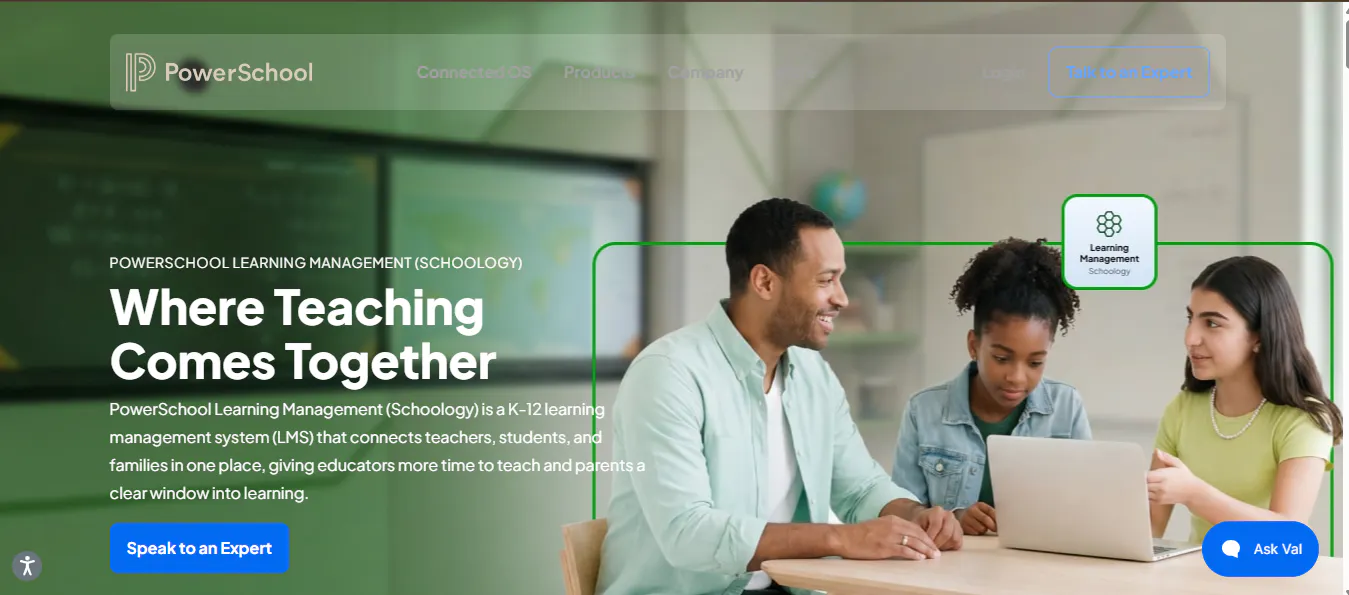
Schoology Learning, part of the PowerSchool ecosystem, is a learning platform focused on course management, collaboration, assessment, and connections between learning and institutional systems. Its strongest use case is for organizations that operate across different stages of education or already rely on PowerSchool technologies.
Key Features And Benefits
- Course Management: Organize course materials, assignments, learning activities, and resources within structured digital classrooms.
- Digital Assessments: Create and manage assessments while giving educators tools to evaluate student work and monitor learning outcomes.
- Digital Rubrics: Use structured rubrics to make grading more consistent and provide students with clearer evaluation criteria.
- Learning Resources: Store and share files, instructional materials, and other course resources within the learning environment.
- Collaboration Tools: Support interaction between students and instructors through discussions, shared resources, and collaborative learning activities.
- Progress & Performance Tracking: Help educators monitor student activity, coursework, and academic progress across their classes.
- PowerSchool Integration: Connect learning workflows with other systems within the PowerSchool ecosystem, which can be particularly useful for institutions already using its education technology products.
- Mobile Access: Allow students and instructors to access learning activities, resources, and course information through mobile devices.
- Content Sharing: Enable educators to organize and reuse instructional resources across courses and learning environments.
- Institutional Learning Support: Provide a common learning environment for organizations managing different learner populations and educational programs.
Pros
- Strong option for institutions operating across K-12 and higher education environments.
- Digital rubrics support structured and consistent assessment.
- Integrates well with the broader PowerSchool ecosystem.
- Provides tools for course management, collaboration, and resource sharing.
- Offers mobile access for students and instructors.
- Can support institutions with different types of academic programs.
Cons
- Staff may need additional time to become comfortable with the platform's broader functionality.
- Its strongest integration advantages are more relevant to institutions already using PowerSchool products.
- Institutions outside the PowerSchool ecosystem may have fewer reasons to choose it over other higher education-focused platforms.
- Pricing is based on institutional requirements rather than a simple publicly listed plan.
Best For: Institutions that connect K-12 and higher education programs, run dual-enrollment initiatives, or already use PowerSchool systems and want their learning environment closely connected to that ecosystem.
Read more: Top 6 Schoology alternatives for K-12 schools
7. Google Classroom
Google Classroom is a lightweight learning management solution built around Google's education ecosystem. Rather than attempting to provide every function of an enterprise university LMS, it focuses on core academic workflows such as distributing coursework, collecting assignments, communicating with students, and connecting learning activities with Google Workspace.
Key Features And Benefits
- Assignment Management: Create, distribute, collect, and organize coursework digitally, giving instructors a simple way to manage student submissions.
- Google Workspace Integration: Connect learning activities with Google Docs, Drive, Slides, Sheets, Meet, and other Google education tools.
- Course Organization: Separate subjects or classes into dedicated digital spaces where instructors can publish materials, announcements, and assignments.
- Student Feedback: Provide comments and feedback on submitted coursework within the Google-based learning workflow.
- Communication: Share announcements and course information with students without requiring a separate communication platform.
- Google Meet Integration: Connect online classes and meetings with the wider Google Workspace environment.
- Mobile Access: Allow students and educators to manage coursework and receive updates through supported mobile devices.
- Simple Administration: Provide a relatively straightforward setup for departments, small institutions, and educational programs that do not need extensive LMS administration.
- AI Support: Google's education ecosystem increasingly includes AI-powered capabilities that can assist educators and learners, depending on the institution's Google Workspace for Education configuration.
- Familiar User Experience: Students and educators already familiar with Google tools can often adopt the core classroom workflow quickly.
Pros
- Simple to set up and use compared with larger enterprise LMS platforms.
- Strong integration with Google Workspace tools already used by many educational institutions.
- Makes assignment distribution and collection straightforward.
- Familiar interface for users already working with Google products.
- Suitable for smaller programs and departments with basic digital learning requirements.
- Provides a low-cost entry point for institutions that do not need a full enterprise LMS.
Cons
- Provides less depth for advanced academic administration than dedicated higher education LMS platforms.
- Reporting and analytics capabilities may not meet institutions requiring comprehensive institutional performance analysis.
- Offers fewer customization and branding options than highly configurable platforms.
- May require additional systems or tools for specialized academic workflows.
- Less suitable as the central learning infrastructure for universities with complex assessment, reporting, integration, and administrative requirements.
Best For: Small colleges, university departments, continuing education programs, and academic teams that need a simple way to distribute coursework, collect assignments, communicate with learners, and use Google Workspace without adopting a larger enterprise LMS.
Read more: 4 Google Classroom Alternatives Schools Should Consider in 2026
How to Choose the Right LMS For Higher Education?
To choose the right LMS for higher education, focus on these six factors:
- Course Management: Choose a platform that supports course creation, multimedia content, assignments, quizzes, and structured learning activities.
- Assessment & Grading: Check for grading tools, quizzes, rubrics, feedback, submissions, and performance tracking.
- Student Management: Look for enrollment, learner profiles, progress tracking, dashboards, and cohort management.
- Integrations & Scalability: Make sure the platform works with your existing SIS, authentication, video tools, and other systems while supporting future growth.
- Usability & Customization: Evaluate how easily students, faculty, and administrators can use the platform and how much control you have over branding, roles, permissions, and workflows.
- Pricing & Support: Compare the total cost of ownership, implementation, training, integrations, maintenance, and vendor support before making a decision.
Read more: How to Choose the Right LMS for Your School?
Conclusion
The right LMS for higher education depends on your learning model, academic requirements, integrations, scalability, and budget. Moodle and Canvas offer flexibility, Blackboard supports enterprise needs, while Tovuti, Schoology, and Google Classroom suit more specific use cases.
Quyl is a strong option for institutions looking for course management, assessments, learner management, cohorts, payments, reporting, and AI capabilities in one platform.

