
Key Takeaways:
- The best learning analytics tools include Moodle, Docebo, TalentLMS, Quyl, Absorb LMS, Learning Pool, and Watershed.
- Learning analytics uses descriptive, diagnostic, predictive, and prescriptive analytics to monitor progress, identify learning gaps, and recognise at-risk learners.
- Schools, colleges, universities, and corporate L&D teams use learning analytics to improve academic performance, measure training effectiveness, and track learner development.

Learning analytics tools transform raw learner data into actionable insights that help institutions and organisations improve learning outcomes. They analyse student performance, course engagement, assessment results, and training progress to identify learning gaps, recognise struggling learners early, and support data-driven decisions.
From K-12 schools, colleges, and universities to corporate L&D teams, these tools help educators and training managers monitor student and employee development.
According to EDUCAUSE's 2025 Top 10 report, 81% of institutions prioritise student success and outcomes in their analytics initiatives. Corporate organisations also use learning analytics to track employee training, skill development, and course completion.
In this blog, we've put together 7 of the best learning analytics tools, comparing their features, reporting capabilities, and suitability for academic institutions and corporate employee training programmes.
Best Learning Analytics Tools: Comparison
These seven tools differ in their primary use cases, analytics capabilities, and pricing structures. The following comparison highlights the type of platform, what it helps organisations measure, and its starting price.
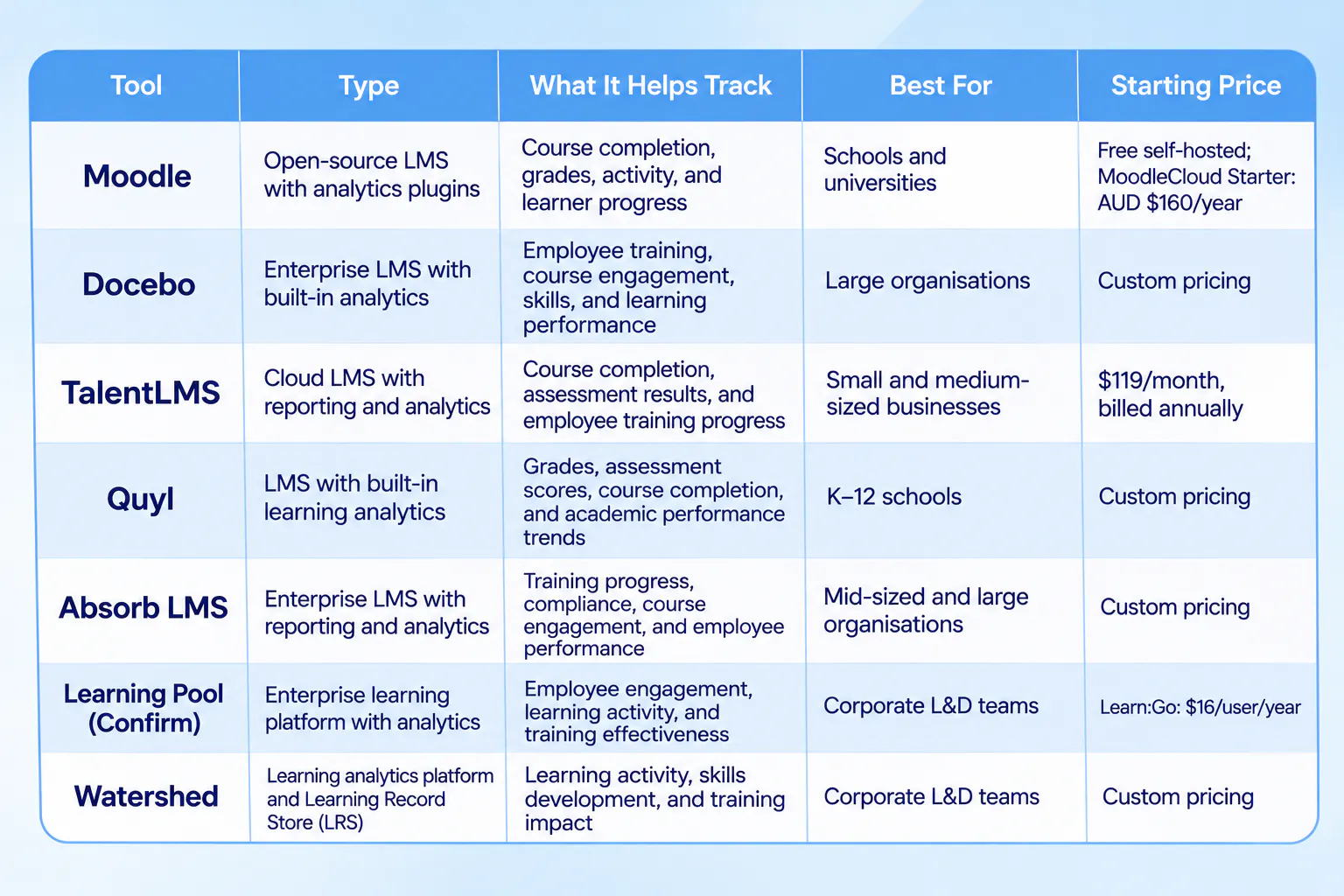
Pricing note: Prices are indicative and may vary by billing cycle, user volume, plan, and region. Moodle's self-hosted software is free, but hosting and maintenance are additional costs. Custom-priced platforms require a vendor quote.
Research note: The comparison distinguishes between LMS platforms with built-in analytics and dedicated learning analytics solutions. Their reporting depth and available data may vary by subscription and configuration. This comparison was researched and analysed on 25 November 2026.
How We Evaluated These Learning Insights Tools
Learning analytics capabilities vary across LMS platforms and dedicated analytics solutions. We considered five areas to assess how effectively each tool supports academic institutions and corporate training teams:
- Analytics and Reporting Capabilities: We examined the availability of dashboards, performance reports, learner activity tracking, assessment analytics, and training completion metrics.
- Learner Performance Tracking: We considered how each platform monitors individual and group progress, identifies learning gaps, and highlights at-risk learners.
- Ease of Use: We assessed how easily teachers, administrators, and L&D teams can access, interpret, and use analytics.
- Integration Capabilities: We considered how each tool connects with LMS platforms, HR systems, learning content, and other business applications.
- Core Features and Pricing: We also evaluated course management, assessments, reporting features, and publicly available pricing or subscription models.
What Is Learning Analytics?
Learning analytics is the process of collecting, measuring, analysing, and interpreting learner data to understand and improve learning outcomes. Learning analytics tools use data such as student performance, course completion, assessment scores, attendance, and learning activity to identify knowledge gaps, track progress, and support data-driven decisions.
It helps answer questions such as:
- Where are learners struggling?
- Which courses or resources drive engagement?
- What factors affect learning outcomes?
- Is employee training improving workplace performance?
The four types of learning analytics are:
- Descriptive Analytics: Shows what happened through attendance, assessment scores, course completion, and training reports.
- Diagnostic Analytics: Explains why learning outcomes occurred by analysing performance trends and learner engagement.
- Predictive Analytics: Forecasts learner performance and identifies at-risk students or employee training gaps.
- Prescriptive Analytics: Recommends interventions, personalised learning paths, and additional training to improve outcomes.
The Short Answer: Top 7 Learning Analytics Tools
Learning analytics tools help educational institutions and businesses monitor learner progress, identify performance gaps, and measure training outcomes. Here are seven platforms to consider based on their analytics capabilities, primary use cases, and pricing.
- Moodle: Best for schools and universities seeking an open-source LMS with configurable reports, learning analytics plugins, and custom reporting options. Self-hosted Moodle is free, while MoodleCloud Starter begins at AUD $160/year for 50 users.
- Docebo: Best for enterprises tracking employee training, course engagement, skills development, and learning performance through built-in analytics. Pricing is custom and available through a sales quote.
- TalentLMS: Best for small and medium-sized businesses monitoring employee training, course completion, assessment results, and learner activity. Paid plans start at $119/month, billed annually for up to 40 users.
- Quyl: Best LMS for K–12 schools for tracking academic performance, assessment scores, course completion, and learner progress through school-wide and individual-level insights. Pricing is available on request.
- Absorb LMS: Best for organisations analysing employee training, compliance progress, course engagement, and workforce development. Pricing is custom and depends on organisational requirements.
- Learning Pool (now Confirm): Best for organisations monitoring employee learning activity, engagement, and training effectiveness through its enterprise learning solutions. Learn:Go starts at $16/user/year.
- Watershed: Best for corporate L&D teams measuring learning effectiveness, skills development, and the relationship between training and business performance. Pricing is available on request.
1. Moodle
Moodle is an open-source LMS used by schools, colleges, and universities to manage courses, assessments, and online learning. Its reporting tools and configurable analytics plugins make it a flexible option for institutions that want control over how they collect and review learner data.
Why It Made the List: Moodle combines an open-source learning platform with configurable reporting, allowing institutions to adapt analytics to their academic requirements.
Key Learning Analytics Features:
- Course activity and learner engagement reports.
- Gradebook and assessment performance tracking.
- Course completion and participation reports.
- Additional analytics through supported plugins.
Pricing: Moodle LMS is free to self-host. MoodleCloud Starter costs $170 USD per year for up to 50 users. Hosting, storage limits, and available features vary by option.
Best For: Schools and universities seeking a flexible, open-source LMS with configurable learning analytics.
User Review:
"It offers rich pedagogical features out of the box (quizzes, assignments, forums, workshops, rubrics, learning analytics, competencies) that support both traditional and more innovative teaching approaches." - Frédéric G.
Cons:
- Limited built-in features, with users reporting missing plugins and restricted customization options.
- Cluttered, unintuitive interface that requires excessive clicks to manage courses.
- Complex navigation and functionality that can require significant technical expertise.
- Steep learning curve, compounded by a cluttered interface and inadequate documentation.
- Lack of intuitiveness, making features difficult to locate and navigate.
Read more: 8 Best Alternatives to Moodle
2. Docebo
Docebo is an enterprise learning platform designed to manage employee, customer, and partner training. Its reporting capabilities help L&D teams monitor learning activity, evaluate training programmes, and connect employee development with organisational goals.
Why It Made the List: Docebo combines learning management with reporting dashboards, custom reports, and advanced analytics options for organisations managing large training programmes.
Key Learning Analytics Features:
- Standard and customisable reporting.
- Pre-built and custom dashboards.
- Learning progress and compliance tracking.
- Advanced analytics available as an add-on.
- Reporting across multiple learner audiences.
Pricing: Starts at approximately $9 per user per month, with a 250-user minimum on the published entry tier. Enterprise pricing and advanced analytics options may require a separate quote.
Best For: Enterprises managing employee, customer, and partner training across multiple departments.
User Review:
"The reporting and analytics give me detailed information, and by combining reports I can get very clear insights about users and training impact." - Jatin D.
Cons:
- Limited feature set, particularly for batch actions and content authoring.
- Steep learning curve due to complex configurations and advanced settings.
- Limited customization options and unintuitive reporting features.
- Gaps in automation capabilities and inconsistent customer support.
- Complex setup and configuration that can be challenging for new users.
Read more: Best LMS With API Integration
3. TalentLMS
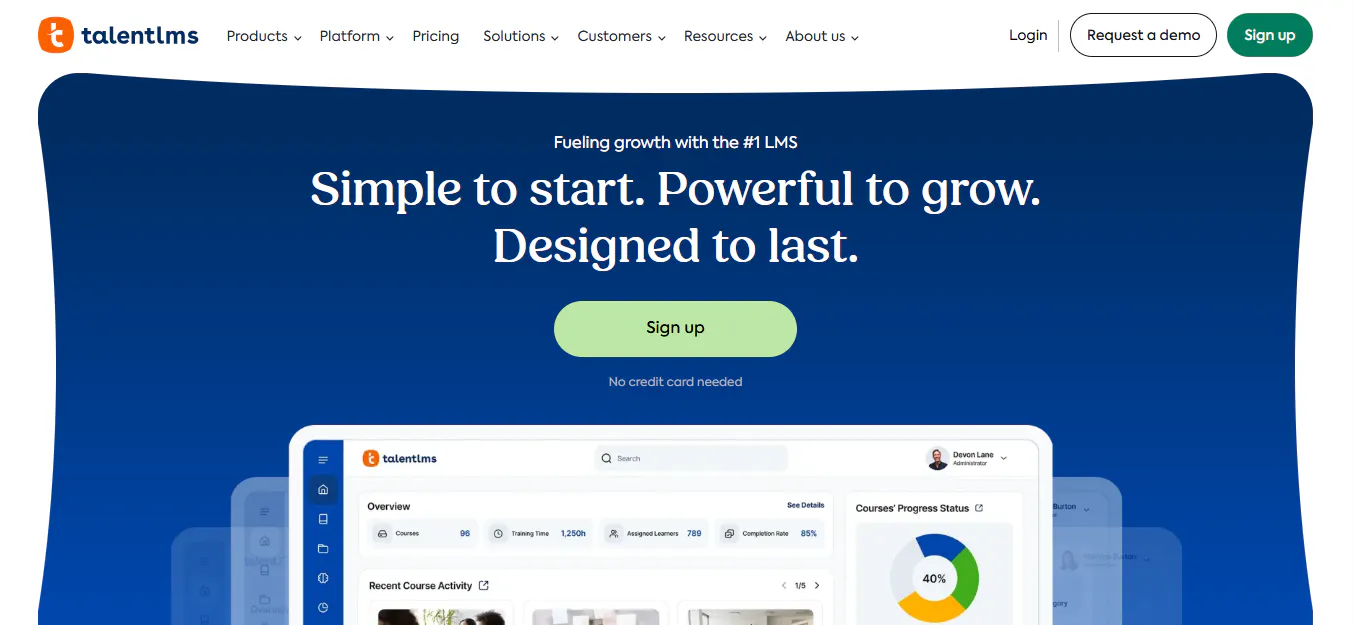
TalentLMS is a cloud-based LMS for businesses that need to organise employee training without managing a complex learning infrastructure. Its analytics dashboards provide visibility into learner activity, course engagement, and training progress.
Why It Made the List: TalentLMS offers accessible analytics dashboards with customisable widgets and filters, making it suitable for businesses that need to monitor training without a dedicated analytics platform.
Key Learning Analytics Features:
- Customisable analytics dashboards.
- Course and learner activity tracking.
- Progress and engagement reports.
- Filters by users, courses, groups, and branches.
- Dashboard export options.
Pricing: Paid plans start at $119 per month, billed annually, for up to 40 users. Advanced Analytics is available on Grow, Pro, and Enterprise plans. Grow starts at $229 per month.
Best For: Small and medium-sized businesses monitoring employee training and course engagement.
User Review:
"TalentLMS is an online learning platform that we use for the training and development of our sales team. It provides detailed analytics tools that allow us to monitor the progress of sales representatives, identify areas for improvement, and measure the impact of training on the overall performance of the team." - Allison H.
Cons:
- Limited features, with some users feeling that existing issues need to be resolved before introducing new updates.
- Insufficient customization options for reporting and course creation.
- Reporting limitations that can make it difficult to generate and customise reports effectively.
- Occasional feature glitches and limited integration options that affect the overall user experience.
Read more: Best Learning Management Systems for Course Authoring
4. Quyl
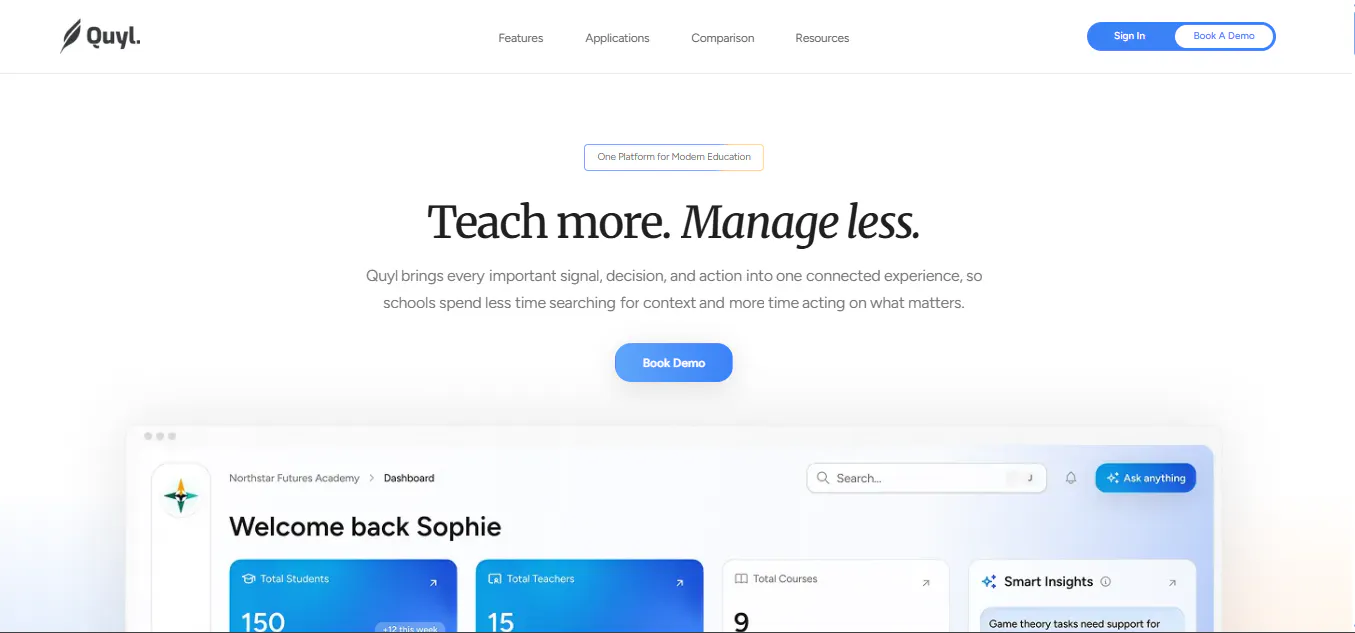
Quyl is a learning management system designed for K–12 schools and educational institutions. Its Insights and Reports capabilities give administrators and teachers visibility into academic performance, course completion, assessment results, and learner progress at both school and individual levels.
Why It Made the List: Quyl connects learning management with school-wide performance insights, helping administrators identify academic trends, compare course outcomes, and understand where students may need additional support.
Key Learning Analytics Features:
- Smart Insights: Identifies meaningful patterns, strengths, risks, weak areas, and trends in learning data, with evidence-linked recommendations.
- School-Wide Performance Analytics: Tracks grades, assessment scores, course completion, and performance trends across the institution.
- Course and Cohort Analytics: Compares performance across courses and learner groups to identify differences in learning outcomes.
- Individual Learner Insights: Uses assessment and learning activity to highlight student strengths and areas for improvement.
- Performance Focus: Helps administrators compare teacher and class performance through course progress, average scores, and completion rates.
- Focused Dashboards: Gives administrators and teachers role-specific views of relevant performance indicators.
- Quyl Assistant: Allows authorised staff to ask contextual, read-only questions about students, courses, assessments, events, payments, and Smart Insights.
Pricing: Contact Quyl for pricing and plan details.
Best For: K–12 schools seeking built-in academic analytics to monitor student performance, course outcomes, and teacher-level trends.
5. Absorb LMS
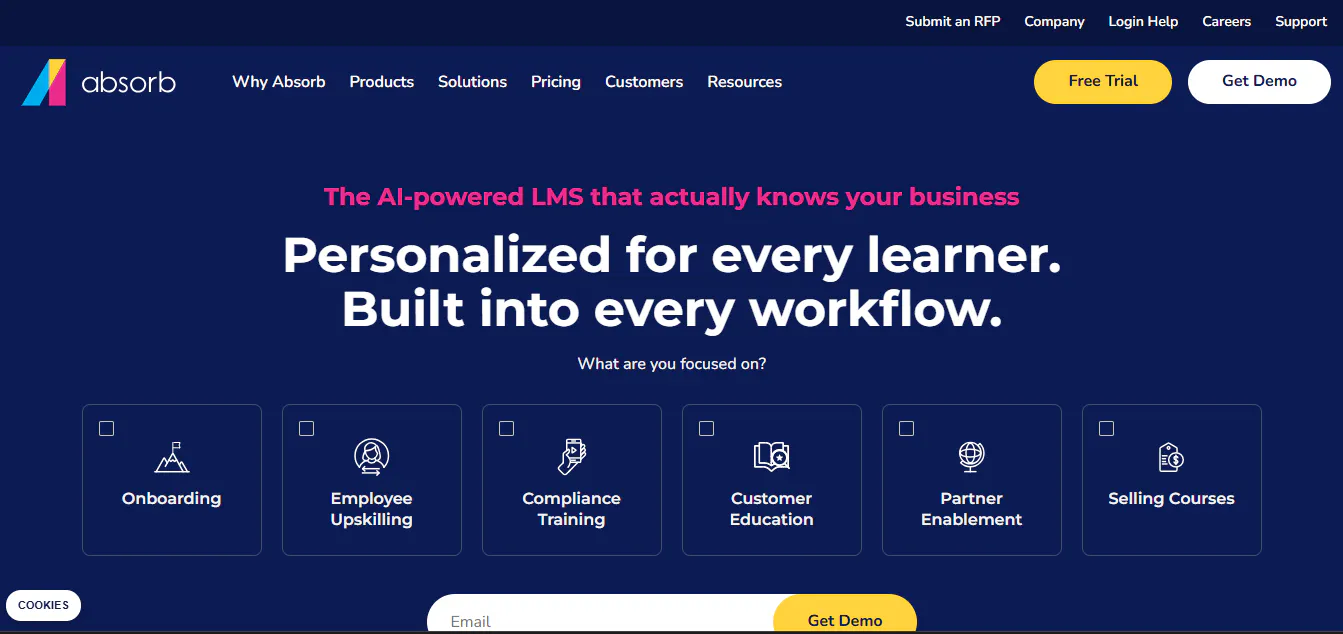
Absorb LMS is an enterprise LMS that helps organisations deliver employee training, manage course enrolments, and monitor learning progress. Its reporting tools provide visibility into learner engagement, course activity, and training completion. Absorb Analyze adds more advanced business intelligence and reporting capabilities.
Why It Made the List: Quyl combines academic performance reporting with AI-powered Smart Insights, helping school leaders move beyond viewing grades and completion figures to understand strengths, risks, weak areas, and potential next steps.
Key Learning Analytics Features:
- School-wide and course-level performance reports.
- Grade, assessment, quiz, and assignment score tracking.
- Course completion and learner progress monitoring.
- Performance trends across courses and cohorts.
- Performance Focus for comparing teacher and class outcomes.
- AI-powered learner insights highlighting strengths and areas for improvement.
Pricing: Custom pricing based on organisational requirements. Advanced analytics features are available through paid add-ons.
Best For: Mid-sized and large organisations tracking employee training, course progress, and workforce development.
User Review:
“The sales and onboarding process was faultless from start to finish, and the combination of interactive course creation, gamification, learning paths, and automation has let us build a much stronger learning offering for our customers than we could before.“ - Nancy C.
Cons:
- Limited customization and settings flexibility, making it difficult to tailor the platform to specific requirements.
- Unintuitive and overwhelming admin interface, resulting in a steep learning curve.
- Reporting limitations, including insufficient detail, missing data, and restricted customization options.
- Difficult report creation and navigation, often requiring manual data updates and consolidation.
- Unintuitive menus and labels that make it difficult to locate features and navigate the platform.
Read more: Best LMS with Payment Gateway Integration
6. Learning Pool (Now Confirm)

Learning Pool provides enterprise learning solutions for organisations managing employee development and training. Its Analytics product brings data from learning platforms and other systems into dashboards, helping administrators understand learner activity and evaluate training performance.
Why It Made the List: Learning Pool Analytics goes beyond standard LMS reports by combining learning data with configurable dashboards, forecasting, and automated explanations of performance changes.
Key Learning Analytics Features:
- Eight standard shared dashboards.
- Custom dashboards and reporting widgets.
- Learner activity and learning engagement visualisations.
- Forecasting based on historical data.
- Automated explanations of changes in performance metrics.
- Exploration tools for drilling into data trends.
Pricing: Custom pricing based on the selected products, licences, and organisational requirements. Contact Learning Pool, now operating its Analytics help centre under Confirm, for a quote.
Best For: Enterprises that need to consolidate learning data and build customised reports to measure employee training activity and outcomes.
User Review:
"We switched to Learning Pool earlier this year because tracking mandatory training in spreadsheets had basically stopped working for us too many people, too many courses, too easy for things to fall through the cracks. My job is mostly making sure people actually finish the training they're supposed to, so I'm in the reporting section more than anywhere else in the system. Honestly the biggest difference is just being able to see who's overdue at a glance instead of digging through files or chasing people down by email." - Christine.
Cons:
- Limited customization options, with setup and integration challenges when adapting the platform to specific requirements.
- Limited features and an outdated user experience that can complicate administration and integration.
- Occasional bugs, restricted customization, and challenging integration processes.
- Inadequate reporting capabilities, sometimes requiring additional software for effective data management.
- Missing essential features that users previously had in older systems.
7. Watershed

Watershed is a dedicated learning analytics platform that collects learning data from multiple systems through its Learning Record Store (LRS). It uses xAPI data to help organisations understand learning experiences across different platforms and evaluate how training contributes to workforce performance.
Why It Made the List: Watershed focuses specifically on learning measurement, allowing organisations to bring data from different learning systems into one reporting environment rather than relying only on individual LMS reports.
Key Learning Analytics Features:
- xAPI-based learning data collection and storage.
- Centralised reporting across learning systems.
- Custom report builder and interactive dashboards.
- Quiz, assessment, compliance, and certification reporting.
- Skills and competency gap analysis.
- HRIS integration to compare learning activity with team performance.
Pricing: Custom pricing based on learner population and analytics requirements. Organisations can request a pricing estimate from Watershed.
Best For: Corporate L&D teams measuring learning effectiveness across multiple platforms and connecting training data with business performance.
Read more: 10 Learning Management System Myths You Should Stop Believing
How to Choose the Right Learning Analytics Tool?
To choose the right learning analytics tool, consider your institution's learning goals, reporting requirements, and the type of learner data you need to measure.
- Define Your Analytics Goals: Identify whether you need to monitor academic performance, student engagement, course completion, employee training, or workplace skill development.
- Evaluate Reporting Capabilities: Look for dashboards, custom reports, performance trends, assessment analytics, and learner-level insights that support your reporting requirements.
- Check Integration Options: Ensure the tool connects with your existing LMS, HR systems, student information systems, and other platforms that store learning data.
- Consider Ease of Use: Choose a platform that allows teachers, administrators, and L&D teams to interpret reports and act on insights without requiring extensive technical knowledge.
- Compare Pricing and Scalability: Evaluate subscription costs, user limits, additional analytics fees, and whether the platform can support your institution's or organisation's future growth.
Conclusion
Learning analytics tools help schools, universities, and businesses turn learner data into actionable insights. From tracking academic performance and identifying students who need support to measuring employee training and skills development, the right platform makes learning outcomes easier to monitor and improve.
When comparing learning analytics tools, consider their reporting capabilities, data integrations, ease of use, and pricing. While dedicated platforms such as Watershed focus on measuring learning across systems, LMS solutions like Moodle, TalentLMS, and Quyl combine learning management with built-in analytics. For K–12 schools looking to connect academic performance data with AI-powered insights, Quyl's Smart Insights offers a way to identify trends, highlight areas for improvement, and support data-informed decisions.
FAQs
1. What Are Learning Analytics Tools?
Learning analytics tools collect and analyse learner data, including assessment scores, course activity, attendance, and completion rates. They help educators and L&D teams monitor progress, identify learning gaps, and improve outcomes.
2. What Are the Four Types of Learning Analytics?
The four types are descriptive, diagnostic, predictive, and prescriptive analytics. They explain what happened, why it happened, what may happen next, and what actions can improve learning outcomes.
3. How Do Learning Analytics Tools Improve Learning Outcomes?
They help identify struggling learners, monitor performance trends, evaluate course engagement, and provide targeted support. Businesses can also use them to measure employee training progress and identify skill gaps.

